
Write a blog post
Start a post, format it, add photos, and publish or schedule it on your website.
Your blog lives at yoursite/blog. Blog appears in your website's menu once you've published a post.
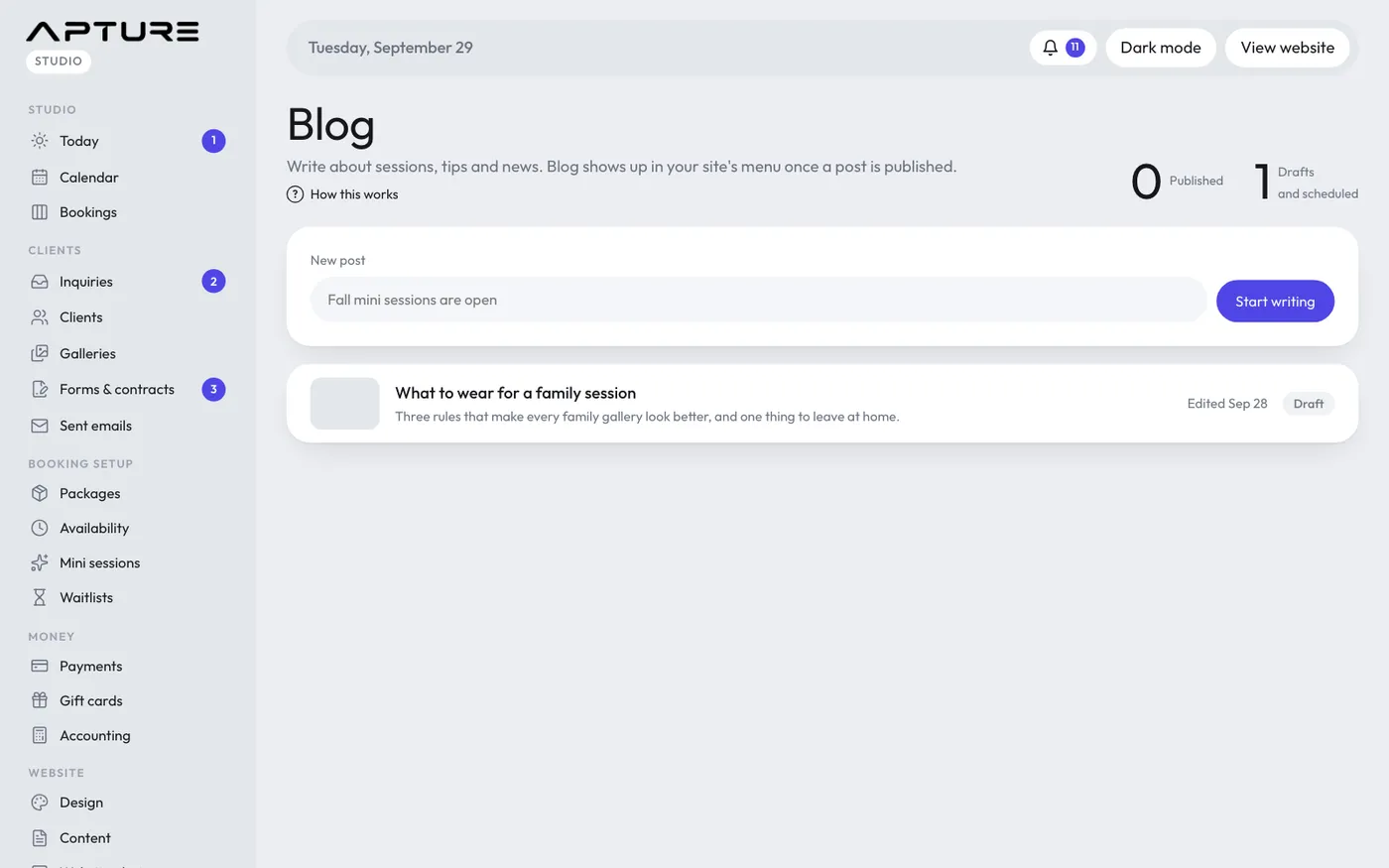
Start a post
- Open Website > Blog.
- Type a title under New post and click Start writing.
- Write in the Post box and click Save often.
The post stays a draft, seen only by you, until you publish it.
Formatting
The bar above the text box has Heading, B (bold), I (italic), Link, List, 1. 2. (numbered list), Quote and Photo. Select some text and click a button, or click it to insert an example. What's saved is plain text you can also type yourself:
- A blank line starts a new paragraph.
- A line starting with ## is a heading, ### a smaller heading.
- Two asterisks on each side of some words make them bold, one on each side makes them italic.
- A link is the link text in square brackets followed straight away by the address in round brackets. The Link button writes this for you. Links can go to a web address, an email (mailto:), a phone number (tel:) or a page on your site like /booking.
- Lines starting with "- " make a list, lines starting "1. " make a numbered list.
- Lines starting with "> " make a quote.
Click Preview above the box to see it as it will look on your site.
Photos
- Cover photo: click Choose a cover photo. It shows at the top of the post and on the blog page.
- Photos in the post: click Add photos to upload, then click Photo in the editor and pick one to place it where your cursor is.
Details
- Short intro (optional): a line or two under the title and on the blog page. Left empty, the start of the post is used.
- Web address: the end of the post's link. Changing it after publishing breaks links people already shared.
- Tags: separated by commas.
- Publish date: leave it empty to use the day you publish. A future date schedules it.
Publish
Click Publish at the top. With a future publish date the post shows as Scheduled and appears on that day. Unpublish moves it back to drafts.
To delete a post, tick Delete it and its photos for good and click Delete post. This can't be undone.