
Waitlists for full sessions
Let clients join a waitlist when a session is full, and email them when a spot opens.
When a session is fully booked, clients can leave their name and email instead of leaving empty-handed. As soon as a spot opens, everyone waiting is emailed, and whoever books first gets it.
Turn it on
- Mini sessions always take a waitlist once they're full.
- Other packages: go to Booking setup > Packages, click Edit on the package, tick Waitlist when fully booked and click Save.
When there are no open times for that package, the booking page shows a waitlist form instead of "No open dates".
What clients get
- A confirmation that they're on the list, with a link to take themselves off.
- An email when times open, listing up to five of them, with a Book a spot button. The first to book gets it. Everyone else stays on the list for the next opening.
A spot counts as open when you add times, unblock a time, end a hold early, cancel or move a booking, or when a client moves their session or doesn't finish checkout. To avoid a flood of emails, the same person hears from you at most once every six hours.
When someone books that package, they come off its list on their own.
See who's waiting
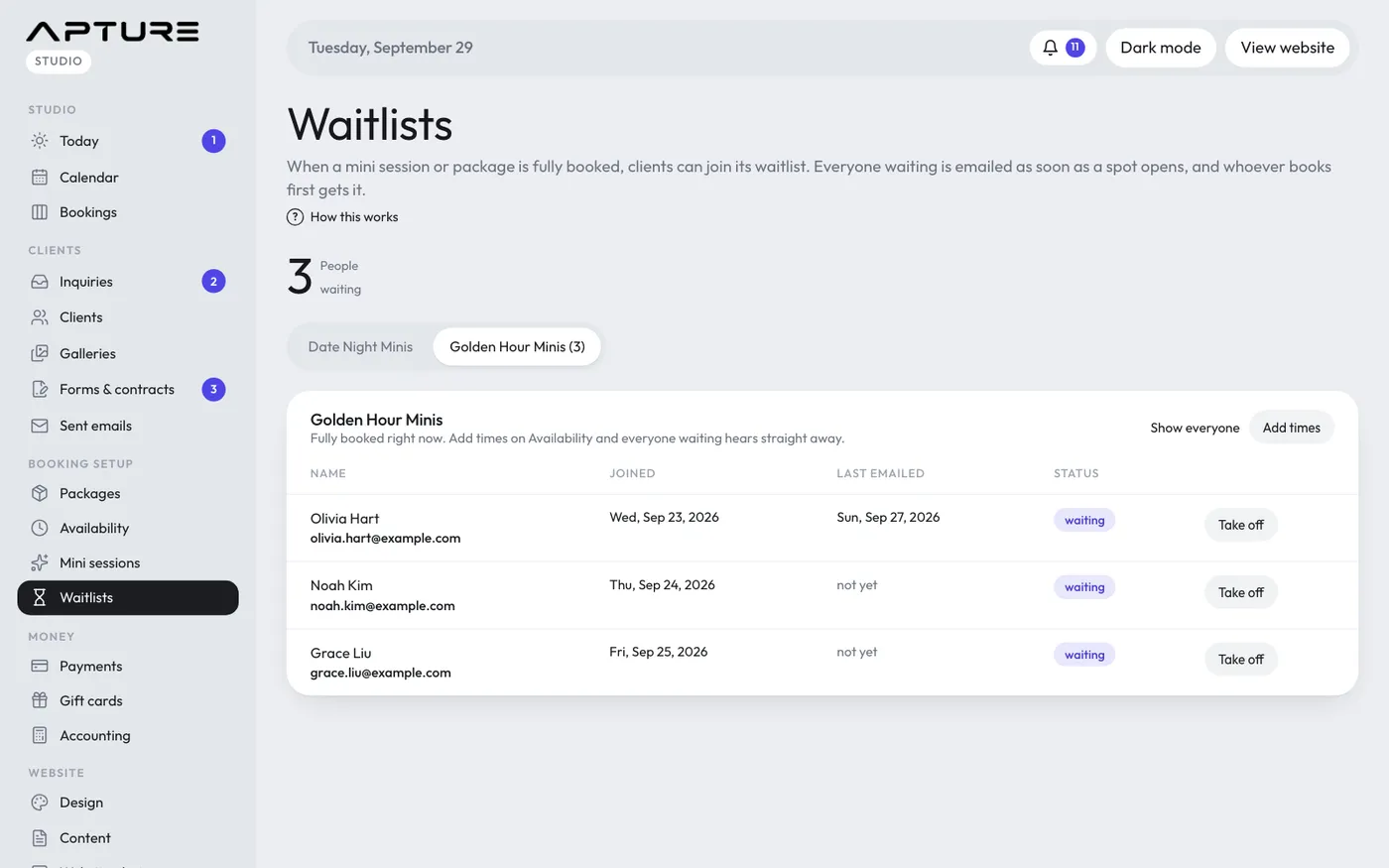
Go to Booking setup > Waitlists. Each session with a waitlist has a tab, with the number waiting in brackets.
- The table shows each person's name, email, when they joined, when they were last emailed and their status: waiting, booked or off the list.
- Take off removes someone. Put back on undoes it.
- Show everyone includes people who booked or left. Only people waiting hides them again.
- If the session is full, Add times takes you to Availability.
- If there are open times, Email them now emails everyone waiting straight away, even if they heard from you recently (click twice to confirm).