
Set up your packages
Create the sessions clients can book, with a length, a price and a deposit.
A package is one kind of session a client can book, like a 60 minute family session. Every booking is for one package, and the package sets the length, the price and the deposit.
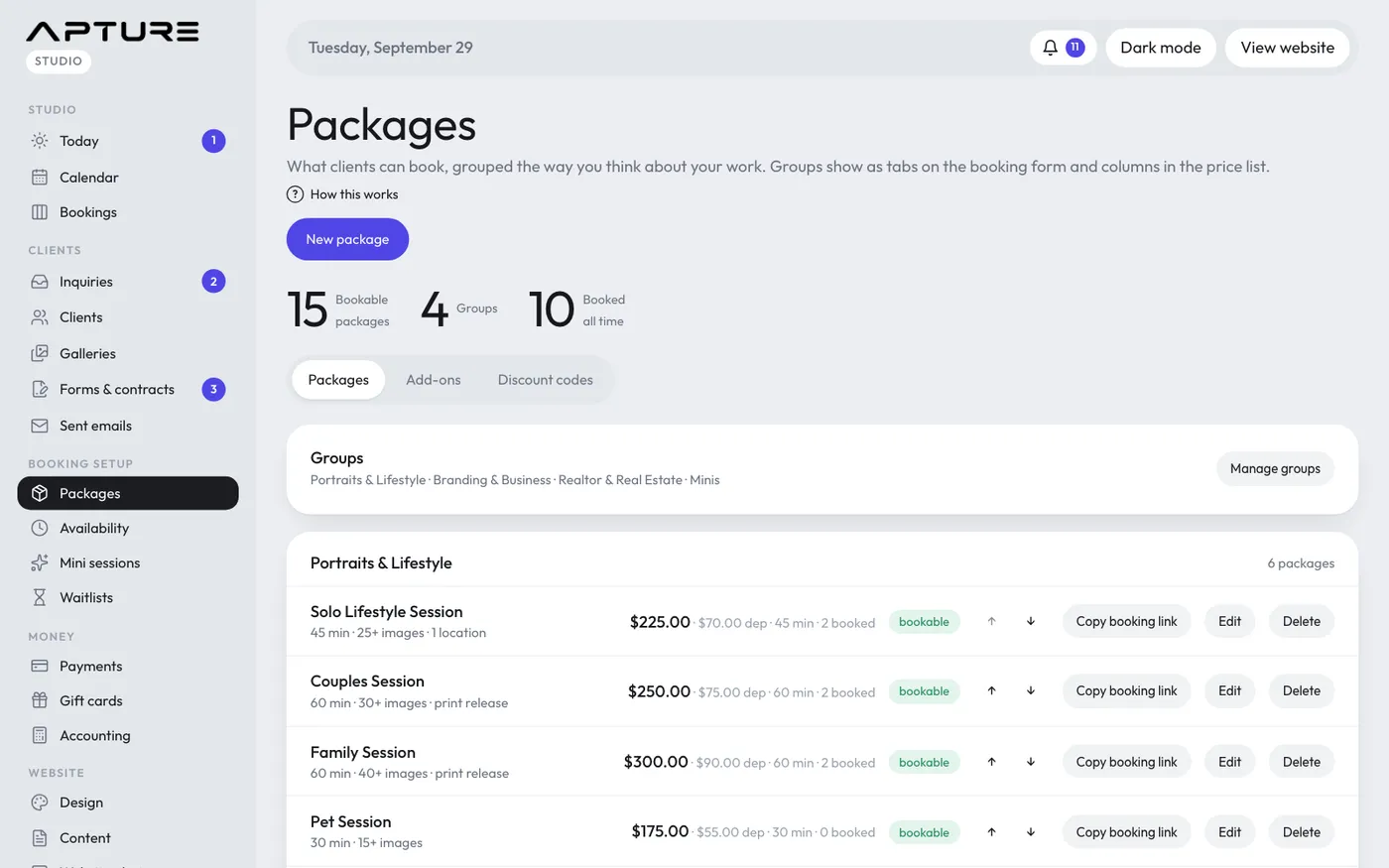
Add a package
- Go to Booking setup > Packages.
- Click New package.
- Fill in the fields:
- Name: what clients see, for example "Family session".
- Group: which group it sits in. See Organize packages into groups.
- Length (minutes): how long the session runs. Clients only see open times that are at least this long.
- Price ($) and Deposit ($): the deposit is what the client pays online to book. It must be at least $0.50 and no more than the price.
- Short description (shown to clients): one line under the name on your booking page.
- Leave Bookable ticked if clients can book it now.
- Click Create package.
The rest of the price (the balance) is paid later, from the client portal or however you arrange it.
Change, pause or reorder a package
- Click the package name or Edit to change it, then Save. New prices apply to new bookings. Existing bookings keep the price they were booked at.
- Click the bookable pill to switch a package off. It stays on this page but clients can't book it. Click again to turn it back on.
- Use the up and down arrows to change the order within a group.
- Waitlist when fully booked lets clients join a waitlist when there are no open times. See Waitlists.
Delete or archive a package
Click Delete on the package row. What happens next depends on its history:
- A package that has never been booked is deleted for good (Yes, delete). Open times reserved for it become open to any package.
- A package with any bookings, even cancelled ones, is archived instead (Yes, archive). It's hidden from your website, booking page and this list, but past bookings and payments still show it.
Archived packages are listed under Archived at the bottom of the page. Restore brings one back, switched off, so you can check it before turning it on.
Still have a question? support@aptureapp.com