
Offer add-ons at checkout
Let clients add extras like more time or prints when they book. Add-ons go on the balance.
Add-ons are optional extras clients pick on the booking page: extra time, rush delivery, prints. Their price is added to the balance, so the deposit a client pays to book stays the same.
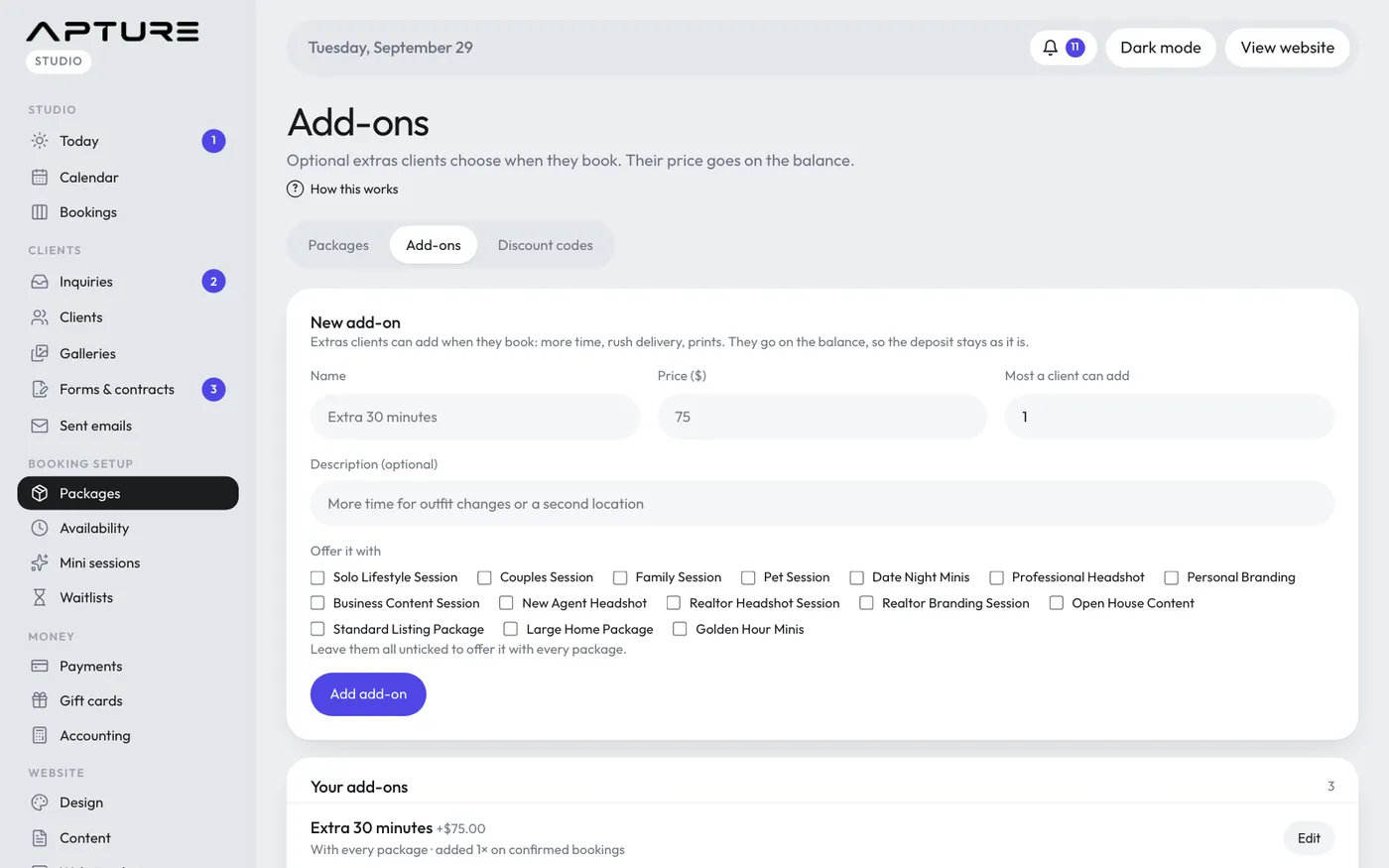
Create an add-on
- Go to Booking setup > Packages and open the Add-ons tab.
- Under New add-on, fill in:
- Name, for example "Extra 30 minutes".
- Price ($).
- Most a client can add: 1 for a yes or no extra, or up to 20 for things like prints. With more than 1, clients choose a quantity.
- Description (optional): a line of detail shown on the booking page.
- Under Offer it with, tick the packages it goes with. Leave them all unticked to offer it with every package.
- Click Add add-on.
Edit, pause or delete an add-on
Click Edit next to an add-on under Your add-ons:
- Change any field and click Save add-on.
- Untick Offered on the booking page to stop offering it without deleting it.
- Delete add-on removes it (click twice to confirm). Bookings that already have it keep it on their price.
Each add-on shows how many times it was added on confirmed bookings.
What the client sees
After choosing a time, the client sees the add-ons for that package under their details. The summary shows each add-on, the new total, the deposit due today and the balance. The add-ons also appear in the Money section of the booking's page.
Still have a question? support@aptureapp.com