
The Today page
What the Today page shows, the first-run checklist, and how to customize your dashboard.
Studio > Today is the first page you see when you sign in. It changes once your first real booking comes in.
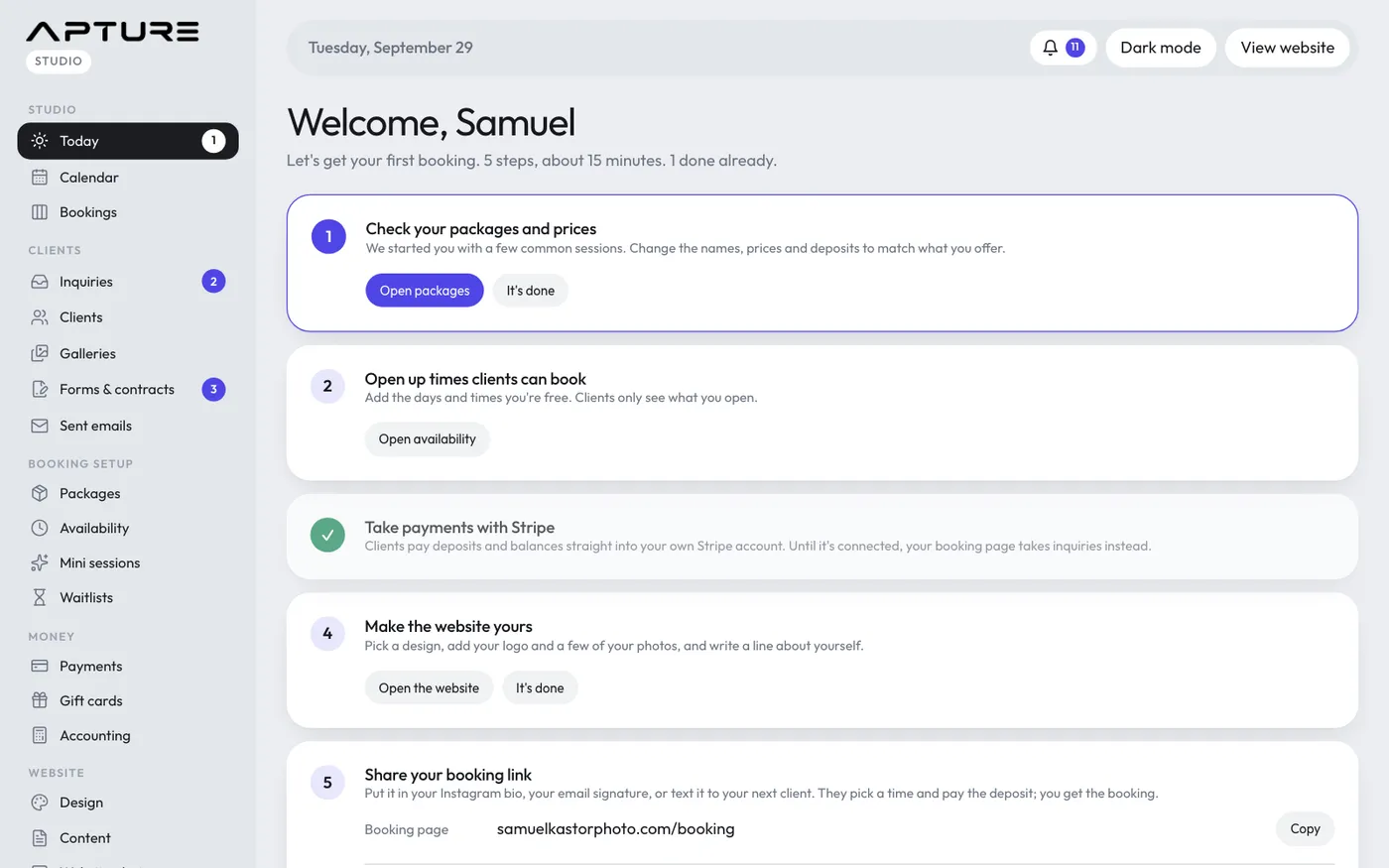
Before your first booking: the welcome checklist
Until a real client books (the example clients don't count), Today shows a short checklist instead of a dashboard full of zeros. It has five steps:
- Check your packages and prices
- Open up times clients can book
- Take payments with Stripe
- Make the website yours
- Share your booking link
The next step to do is highlighted. Each step has a button that takes you to the right page. Some steps tick themselves off (opening times, connecting Stripe); for the others, click It's done when you've finished. The last step shows your Booking page and Link in bio links to copy, with an I've shared it button.
Below the checklist you'll find three links:
- The full setup guide opens Studio > Set up.
- See the dashboard with sample bookings shows the normal dashboard, filled with the example data.
- Hide this welcome switches the checklist off for good, and Today shows the dashboard from then on.
After your first booking: the dashboard
The dashboard greets you with how many sessions you have today and how many follow-ups are due, plus quick buttons for New gallery and Open times. Below that are cards such as the bookings board, money collected this month, follow-ups due, bookings that need attention, sessions coming up in the next 14 days, forms waiting on clients, gallery activity and recent activity.
If there are still setup steps left, a Finish setting up card shows your progress with a Continue setup button.
Customize the dashboard
- Click Customize at the top of Today.
- Tick the cards you want to see and give each a number to set the order (lower numbers come first).
- Click Save layout. Reset to default puts everything back.
- Click Done to leave customize mode.
Cards about money are only shown to people whose role can handle payments.