
Example data: exploring and removing it
What the example clients and bookings are, why they're there, and how to remove or reload them.
Every new studio starts with example data, so you can see how Apture works before your first client books. You'll find made-up clients, sessions at every stage, payments, signed contracts, forms waiting on clients, galleries with client favorites, inquiries and notifications.
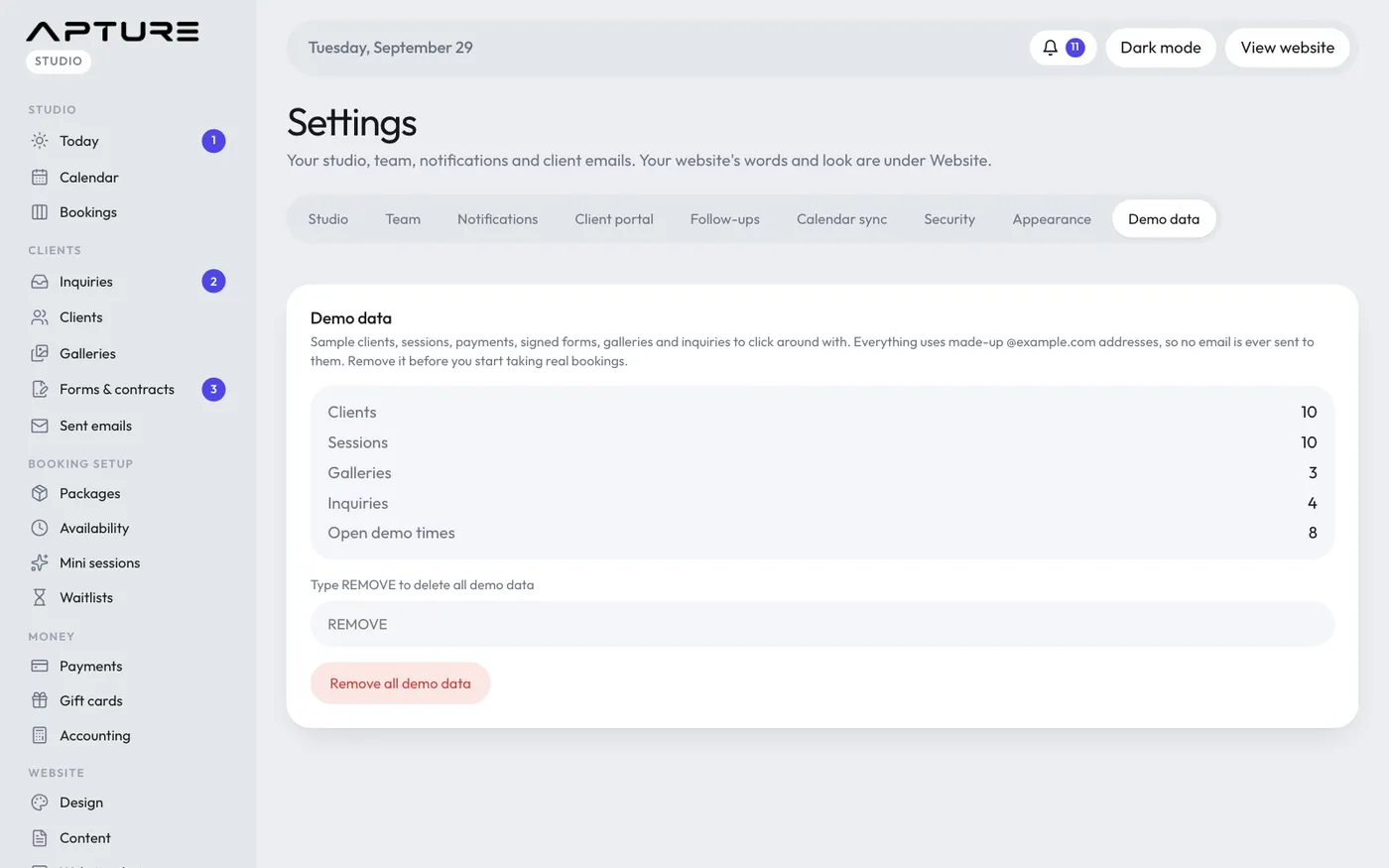
All example clients use @example.com email addresses, so no email ever reaches anyone.
When to remove it
Remove the example data before you start taking real bookings. Two reasons:
- The example open times show on your real booking page.
- The dashboard money figures include the example payments. Accounting already leaves them out.
Remove the example data
- Go to Account > Settings and open the Demo data tab.
- Check the summary: how many clients, sessions, galleries, inquiries and open demo times will go.
- Type REMOVE in the box.
- Click Remove all demo data.
Only the example data is removed. Your own clients, bookings, packages and photos are never touched. When it's done, the page tells you how many example clients were removed along with everything linked to them.
You can also get there from the Remove demo data button in the welcome window you see on your first visits, or from the Remove the sample data step in Studio > Set up.
Load it again
If you want to practice again later, go back to Account > Settings > Demo data and click Load demo data. It takes a minute or two, because it downloads sample gallery photos.