
Help center / For your clients
Your photo gallery
Opening your gallery, picking favorites, watching a slideshow, sharing and downloading your photos.
When your photos are ready, your photographer sends you a link to your gallery. It also shows under Your photos in your client portal.
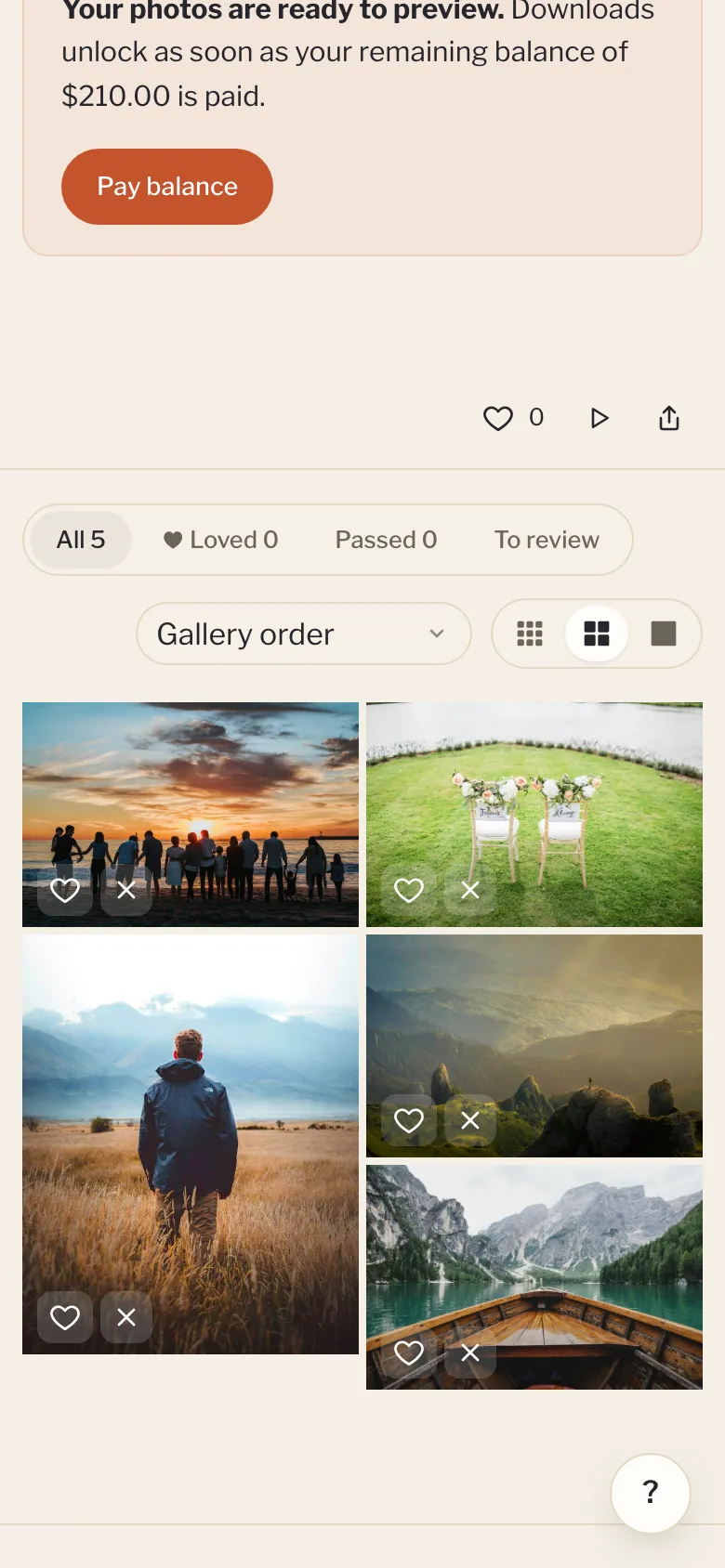
Opening it
Some galleries ask for your email or a password first. Type them in and click View gallery. Your device remembers you for 30 days. If you open the gallery from your portal, you go straight in.
The first time you open a gallery, a short guide explains how it works. Click the ? button in the corner to see it again.
Picking favorites
- Heart the photos you love. Click the heart at the top, or Loved, to see just those.
- Pass on the ones you'd skip. Nothing is deleted. It just helps you narrow things down.
- Stars: open a photo to rate it from one to five, then choose Highest rated first to sort.
- To review shows the photos you haven't picked yet.
Your picks save as you go, and your photographer can see them. On a computer you can use the keys L (love), X (pass) and 1 to 5 (stars).
Slideshow
Click Slideshow to play the photos full screen, one every few seconds. Press the space bar or the play button to pause.
Sharing
Click Share to send the gallery link to family and friends. If your device has no share menu, the link is copied instead, ready to paste.
Downloading
Click Download, choose a size, and click Download all. You get a zip file.
- Web & social: for phones, texting and social media.
- High resolution: for prints and wall art.
- Original (full res): the full-size files, if your photographer offers them.
Very large galleries are split into parts. Download each part in turn. You can also download just the photos you loved, or open any photo and download only that one.
On iPhone or iPad, see Saving photos to your iPhone or iPad.
Locked or closing galleries
If your balance isn't paid yet, you can view and pick favorites, but downloads unlock after you pay. See Paying your balance. If your gallery has an end date, it shows at the bottom. Download your favorites before then. Once it closes, it no longer shows in your portal, and the gallery page shows your photographer's email so you can ask them to reopen it.