
See your website visits
How many people visit your site, which pages they look at and where they came from.
Open Website > Website visits. Owners, Admins and Staff can all see it.
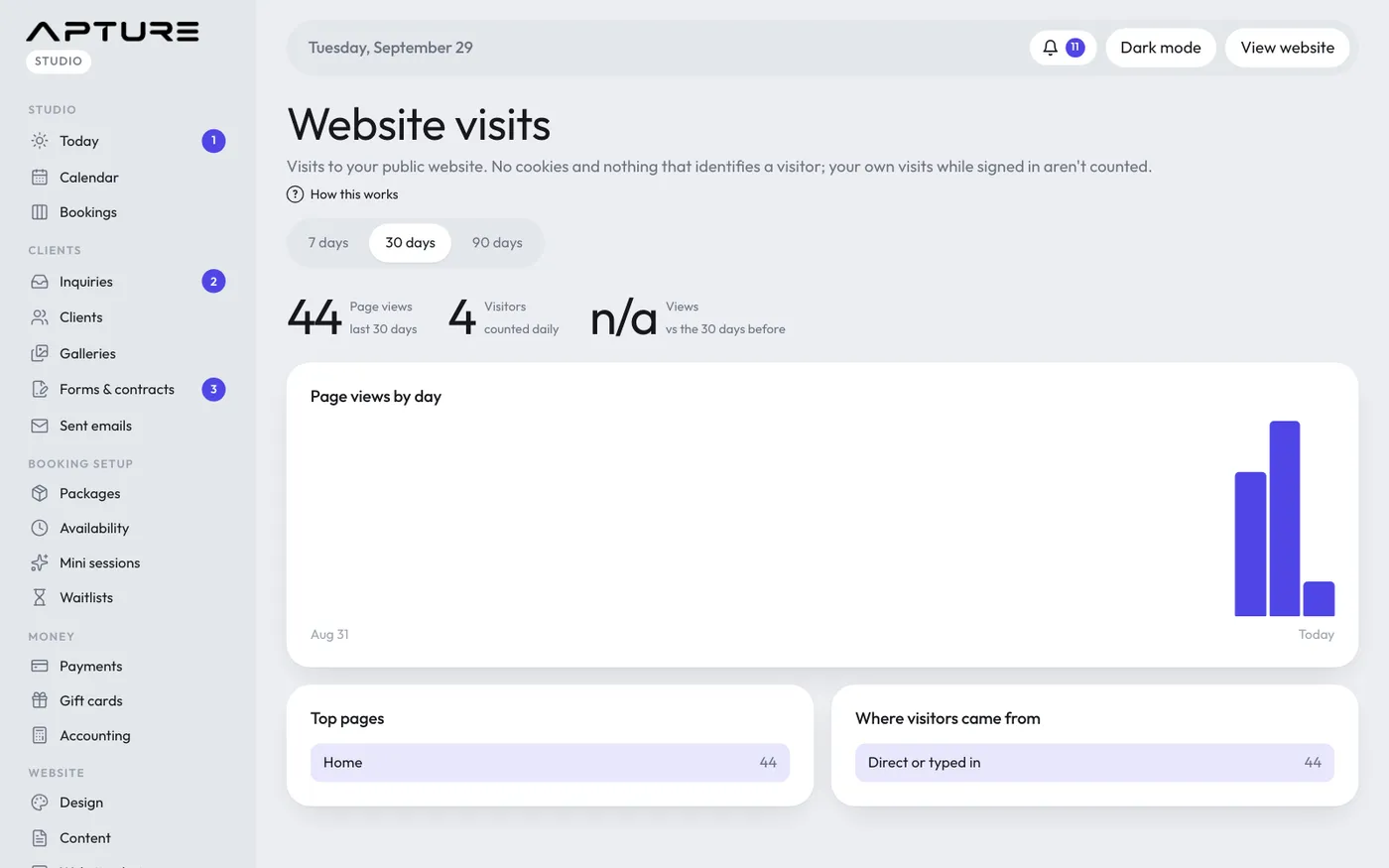
Choosing a period
Use 7 days, 30 days or 90 days at the top. 30 days is the default.
What you see
- Page views: how many pages were opened in the period.
- Visitors: the number of different visitors, counted day by day.
- Views vs the days before: up or down compared with the same length of time just before. It shows n/a when there's nothing to compare with.
- Page views by day: a bar for each day. Hover over a bar to see that day's views and visitors.
- Top pages: which pages people open most. "Home" is your homepage.
- Where visitors came from: the sites that sent people to you, like Instagram or Google. Direct or typed in means they typed your address, used a bookmark, or came from an app that doesn't pass on where they came from.
Privacy
Visits are counted without cookies and without anything that identifies a visitor. Your own visits while you're signed in aren't counted.
Good to know
- New visits show up within a minute.
- Previews of a draft design aren't counted.
- Views of your link-in-bio page (/links) count too. See Your link-in-bio page.
Still have a question? support@aptureapp.com