
See favorites, activity and downloads
Use the Client feedback, Activity and People tabs to see what your client picked and downloaded.
Open a gallery from Clients > Galleries. The top of the page shows how many photos it has, how many people visited, how many loves it has had and the download count.
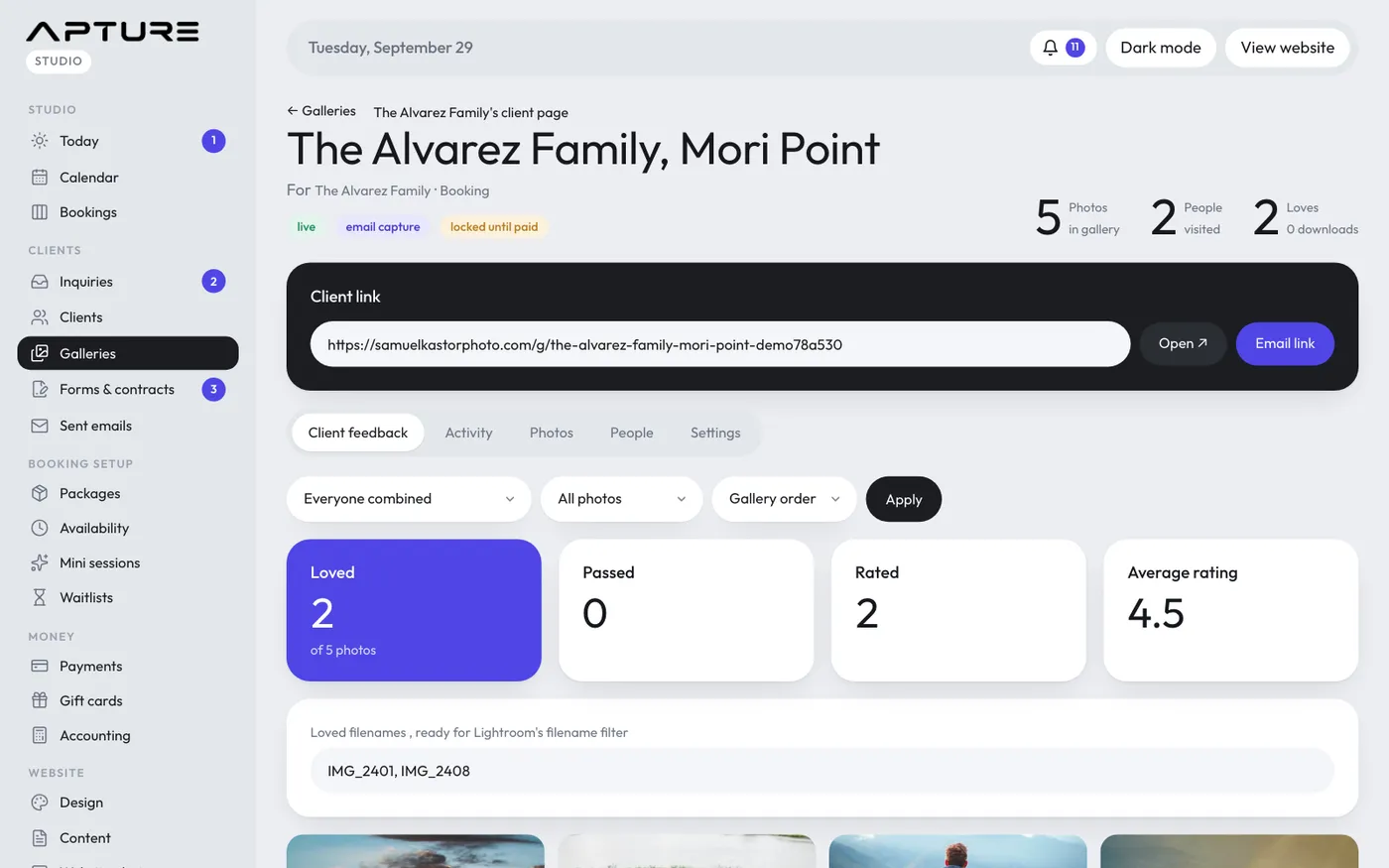
Client feedback tab
Shows every photo with its loves, passes and stars.
- Whose feedback: everyone combined, or one person.
- Show: All photos, Loved, Passed, or No feedback yet.
- Sort: Gallery order, Most loved, or Highest rated.
Click Apply. The cards above show how many photos are loved, passed and rated, and the average rating.
Loved filenames for Lightroom
When photos are loved, a box lists their filenames without extensions, separated by commas. Copy it and paste it into Lightroom's filename filter to find those photos in your catalog. Pick one person under Whose feedback to get just their list.
Activity tab
Everything that happened, newest first: who opened the gallery, looked at, loved, passed on or rated which photo, and what they downloaded and at what size. Visits are logged at most once every 30 minutes per person.
People tab
Everyone who opened the gallery, with:
- Whether they joined your mailing list
- Visits, loved, passed and rated counts
- Downloads
- When they were last seen
Click Their picks to see one person's feedback. Click Export CSV to download the list.
Downloads per photo
On the Photos tab, each photo shows how many times it was downloaded.