
Put someone on a session
Choose who is shooting a booking, so it shows in their My sessions and they get an email.
You can put anyone on your team on a session: a Shooter, Staff, an Admin or an Owner. It's how a second shooter or associate finds out what they're shooting.
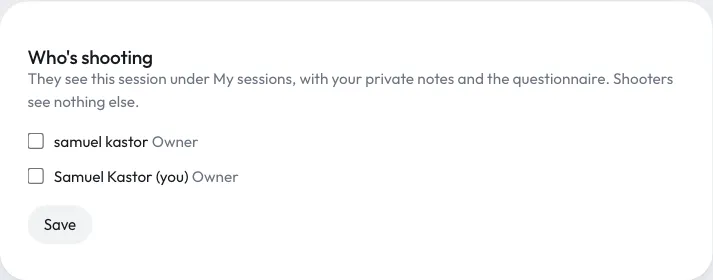
Choose who's shooting
- Open the booking (from Bookings, Calendar or Today).
- Find the Who's shooting box. It shows once you have more than one person on your team.
- Tick each person shooting this session. Untick anyone who isn't.
- Click Save.
Owners, Admins and Staff can do this. Shooters can't.
What happens next
- Each person you added gets an email with the package, date and time, and the place if you've set one. It has an Open My sessions button. You don't get an email when you add yourself.
- The session appears in their My sessions, and in their private calendar link.
- People you untick lose the session from My sessions. They don't get an email about it.
Give them what they need
Everything in the booking's Private notes box shows to the people shooting it, under Studio notes. Put the shot list, parking, outfit changes and anything else they need on the day there. They also see the client's questionnaire answers.
Shooters see nothing else about the booking: no prices, payments or client email. See What shooters see.
Still have a question? support@aptureapp.com