
Help center / Account & billing
Two-step sign-in and signing out everywhere
Protect your account with a code from your phone, sign out on every device, and see who changed what.
Everything in this article is under Account > Settings > Security (or Account > Your account for team members).
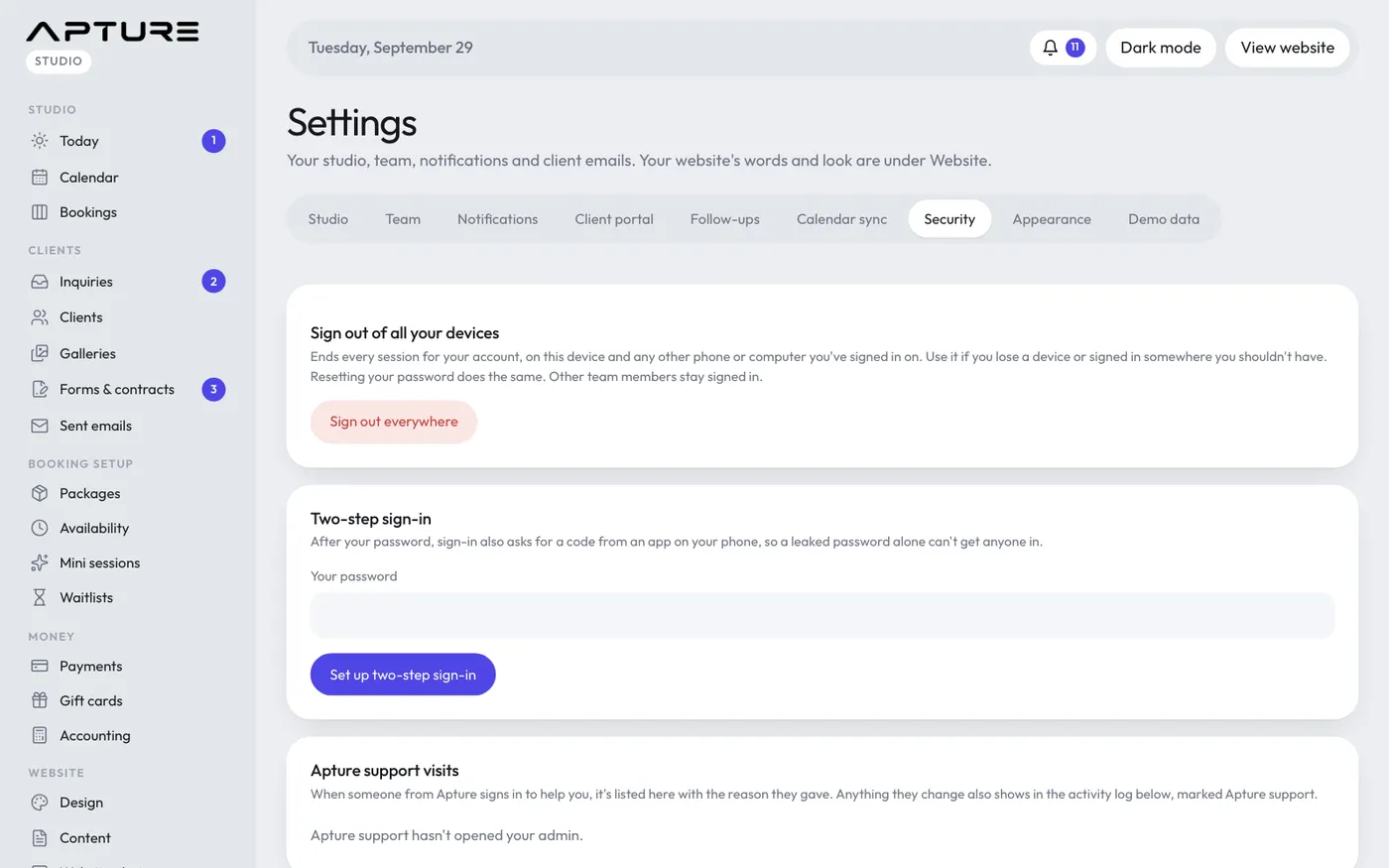
Turn on two-step sign-in
With two-step sign-in, signing in asks for your password and then a code from an app on your phone, so a leaked password alone can't get anyone in.
- Under Two-step sign-in, enter Your password and click Set up two-step sign-in.
- Scan the QR code with an authenticator app, such as Google Authenticator, 1Password or Authy. If you can't scan it, click Can't scan it? for a setup link.
- Save the backup codes somewhere safe. Each works once if you lose your phone, and they won't be shown again.
- Enter the 6-digit code your app shows now, and click Turn on two-step sign-in.
Next time you sign in, you'll be asked for a code after your password. Tick Don't ask again on this device for 30 days on a device you trust.
Lost your phone? Enter one of your backup codes where the sign-in page asks for a code.
Turn it off
Enter your password under Your password, to turn it off and click Turn off two-step sign-in.
Sign out everywhere
Sign out everywhere ends every session for your account: this device, and any phone or computer you've signed in on. Use it if you lose a device or signed in somewhere you shouldn't have. Click it, then click again to confirm, and you're signed out straight away. Other team members stay signed in.
Resetting your password with Forgot your password? on the sign-in page does the same.
To sign out on just this device, click Sign out in the side menu.
Apture support visits and the activity log
The owner and admins also see two lists here:
- Apture support visits: each time someone from Apture signed in to help you, with the reason they gave.
- Activity log: every change made in the admin, newest first, and who made it: sign-ins, payments, price changes, deletions and settings. Changes made by Apture support are marked Apture support. Passwords are never recorded.