
Form and contract templates
Build the questionnaires, releases and agreements you send to clients, and keep them organized in groups.
Clients > Forms & contracts holds your templates. A form asks questions. A contract has terms and ends with an e-signature.
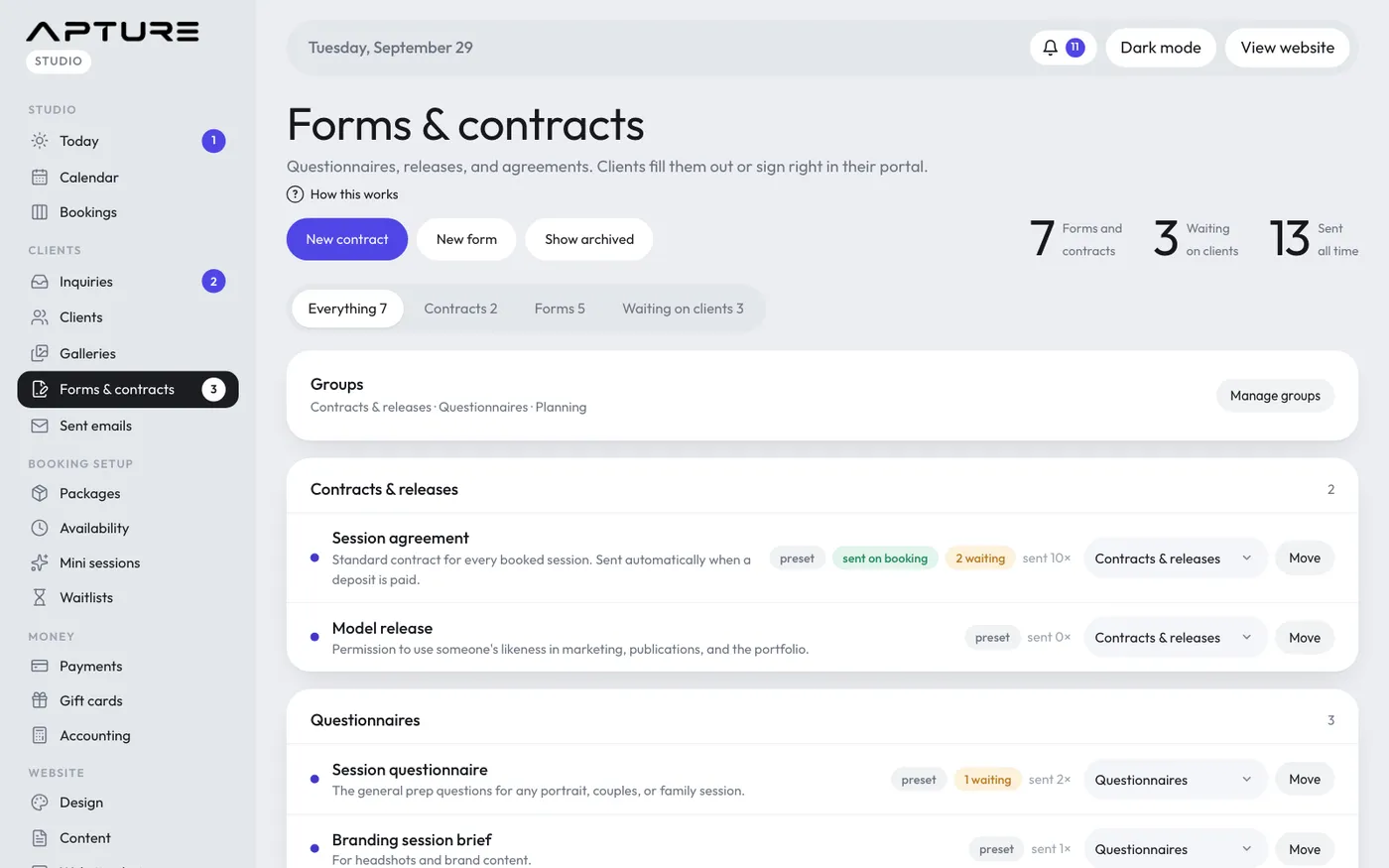
Your studio starts with ready-made templates: Session agreement, Model release, Session questionnaire, Wedding or elopement timeline, Branding session brief, Listing details and Pet session info. They're yours to edit.
Making a template
- Click New contract or New form.
- Give it a title, pick a group, and add a short description for yourself.
- For a contract, write the terms. Placeholders like {clientName}, {sessionDate}, {totalPrice}, {depositPaid} and {balanceDue} fill in from the client and booking when you send it.
- Add questions. Types include short answer, paragraph, email, phone, number, date, dropdown, multiple choice, checkboxes, yes or no, and section headings. On a contract these are extra fields filled in before signing.
- Click Save.
Editing a template never changes what you've already sent. Each client keeps the version they were sent.
Sending contracts automatically
On a contract, tick Send automatically when someone books. It then goes to every client when their deposit is paid, and when you add a session by hand with the contract box ticked. The Session agreement has this on from the start.
Tidying up
- Duplicate makes a copy to change.
- Untick Active to hide a template from the send menu.
- Delete removes a template that was never sent. Once it has been sent, the button says Archive instead: it's hidden and stops sending automatically, but past copies stay. Show archived brings archived templates back into view.
Groups
Templates are shown in groups, such as Contracts & releases, Questionnaires and Planning. Click Manage groups to rename, reorder or delete a group, or type a name and click Add group. A group must be empty before you can delete it. To move a template, pick a group next to it and click Move.
The tabs at the top show Everything, only Contracts, only Forms, or what's Waiting on clients.