Skip to content
← Switching to Apture

The Studio Ninja alternative for photographers.

Studio Ninja is made for photographers, and so is Apture. The difference is that Apture's galleries and website are built in, so the whole client journey happens in one place.

Step 1

What are you using now?

Tap every tool you pay for. The page rewrites itself around your setup.

What you get with Apture

Everything Studio Ninja does, in the one app for the whole studio.

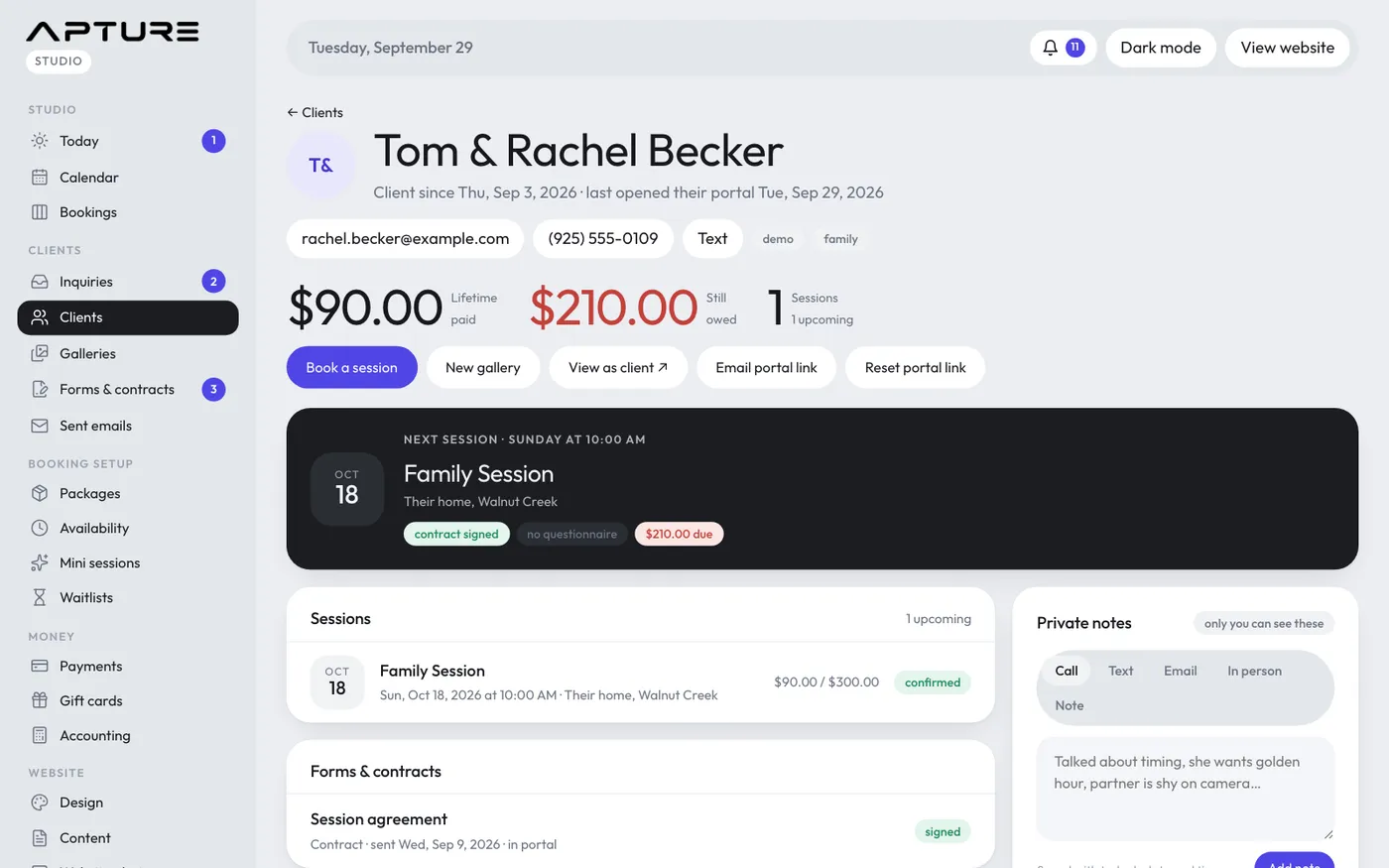
A client's page in Apture with their sessions, payments and galleries

Instead of Studio Ninja

One app, one client record

From the first inquiry to the final gallery, every client has one record: sessions, messages, forms, contracts, payments and galleries.

More about this

No copying a client from your CRM into your gallery tool, and no wondering which app has the latest email. Your team sees the same record you do.
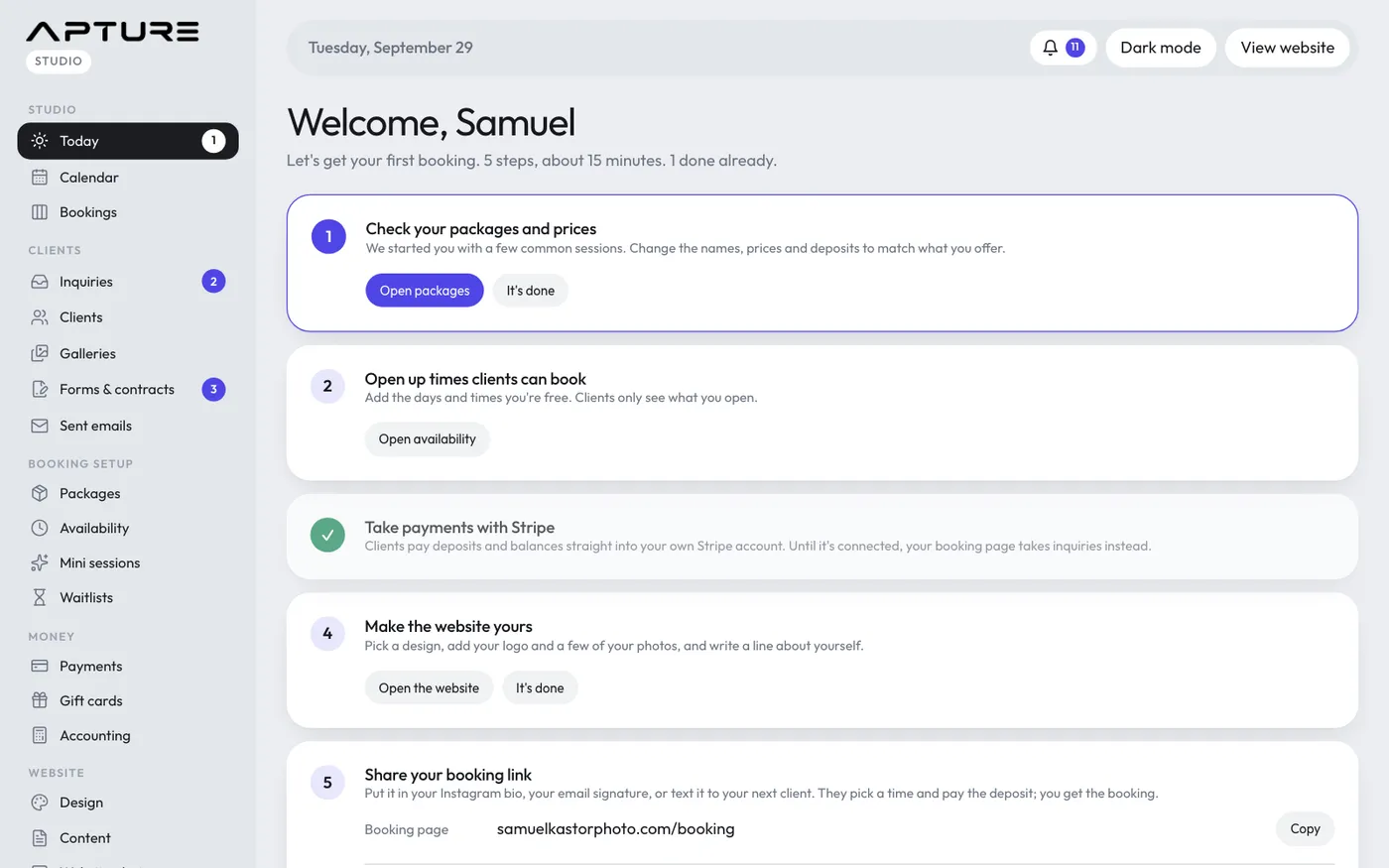
The Today page: sessions, what's due and who needs a reply

Instead of Studio Ninja

Every feature on every plan

Plans differ in storage, video hours and team size. Nothing else is held back for a higher tier.

More about this

Automations, proposals, payment plans, video, RAW files, your own domain and AI writing help are on the smallest plan too. There are no add-ons to buy.

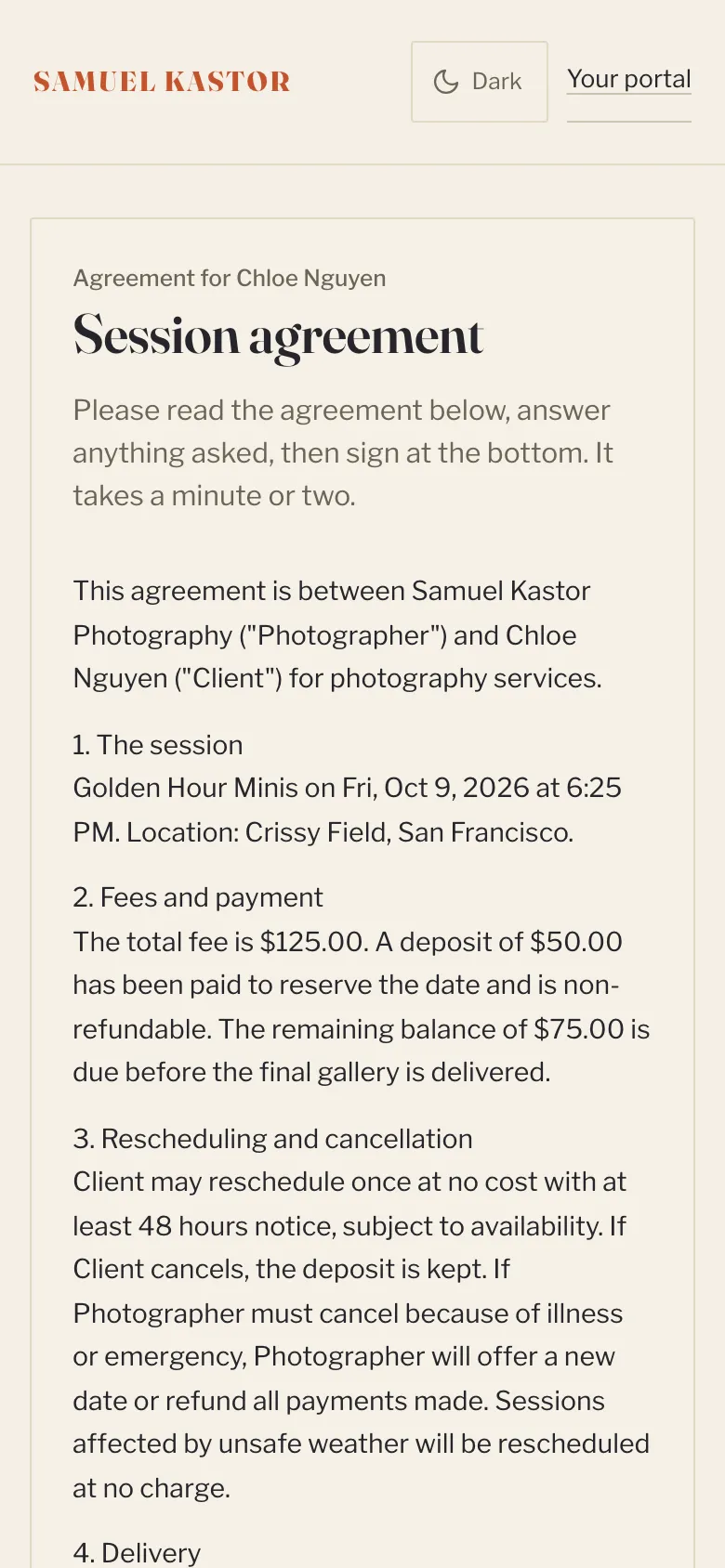
A client signing a contract on their phone

Instead of Studio Ninja

Book, sign and pay in one step

A client picks a session, signs your contract on their phone and pays the deposit, in one booking.

More about this

Turn on signing before paying and the contract becomes part of booking, so a date is never held without a signature and a deposit. Your client gets the signed PDF, and the signed record stays with the booking.

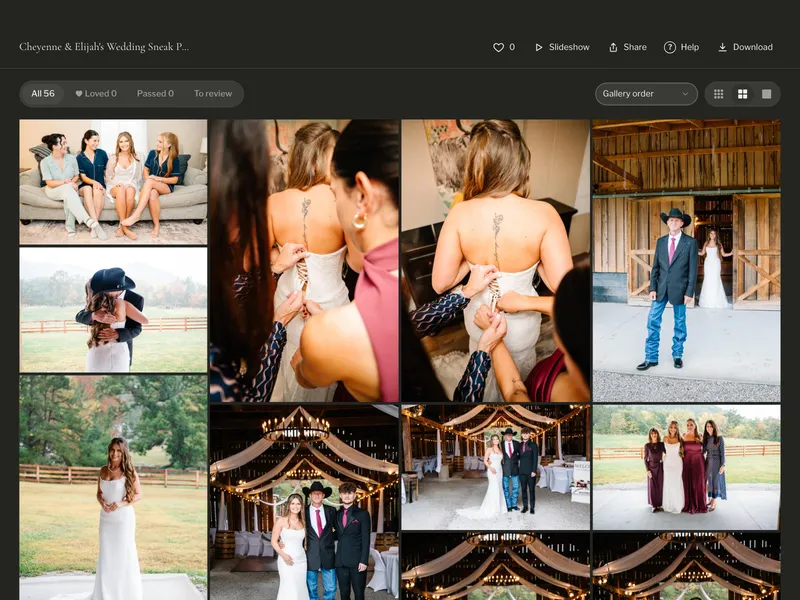
A wedding gallery with favorites, a slideshow and downloads

Instead of Studio Ninja

Galleries with video and RAW, on every plan

Deliver photos, video and RAW files side by side, in galleries clients open without an account.

More about this

Hearts, picks and proofing, downloads in the sizes you allow, download sales, and print orders you send to your own lab. Galleries are linked to the booking that came before.

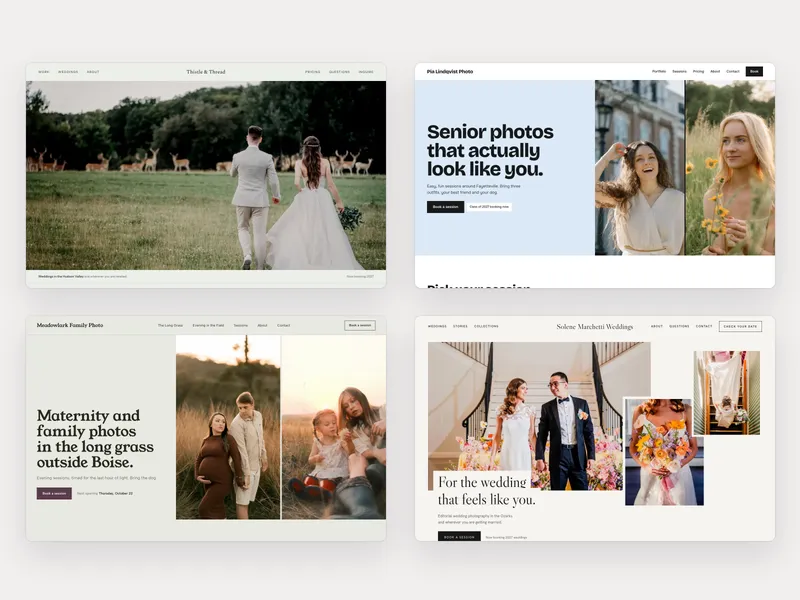
Four studio websites made with Apture, each in a different design

Instead of Studio Ninja

A real website, in 15 designs

A photographer's website on your own domain, with booking, galleries and the client portal built in.

More about this

Pick a design, add your photos and words, and preview it on a phone and a computer. A blog, search settings and a link-in-bio page come with it.

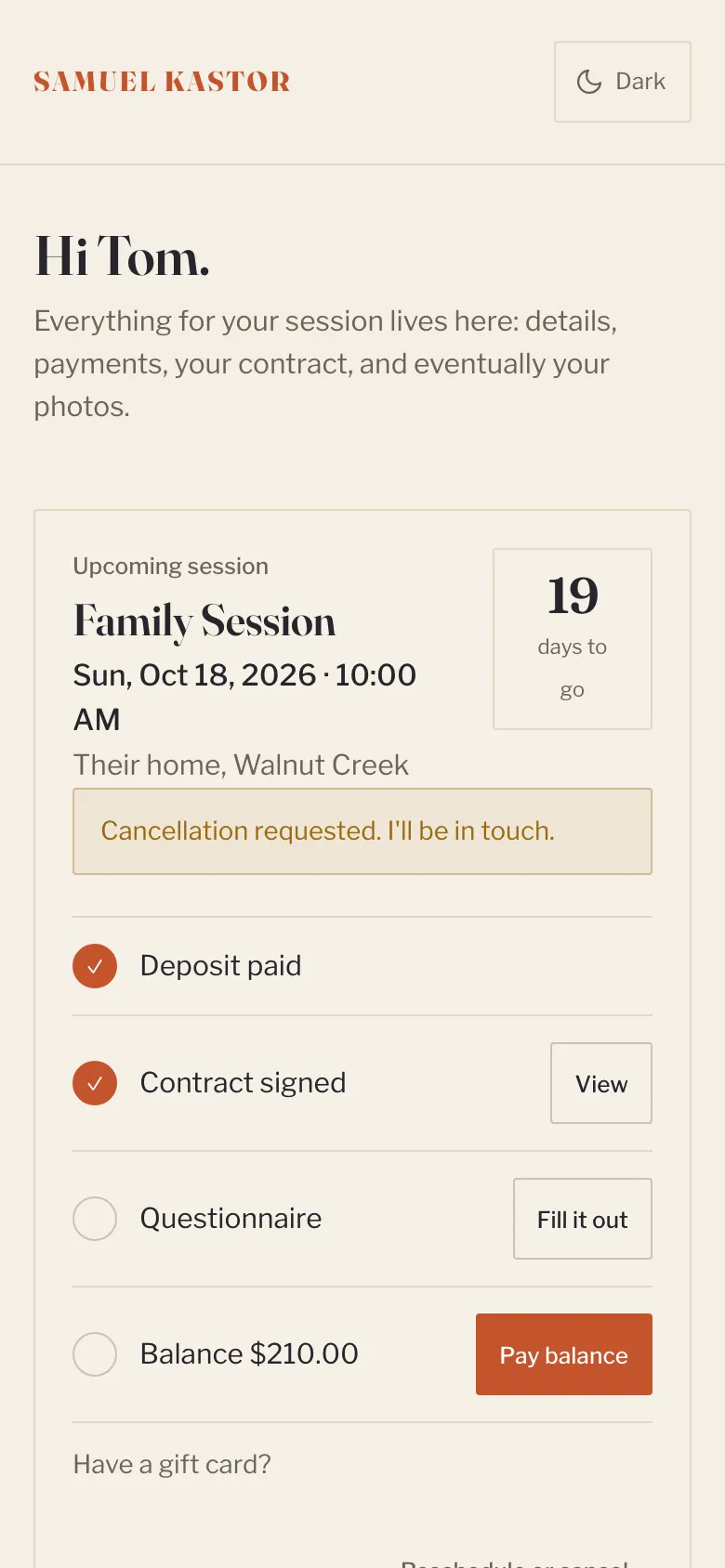
A client's portal on a phone

Instead of Studio Ninja

A client portal they'll actually use

Clients see their sessions, contracts, forms, payments and galleries in one place, on their phone.

More about this

They pay a balance, answer the questionnaire and find their gallery from the same link, so they stop emailing you to ask where things are.

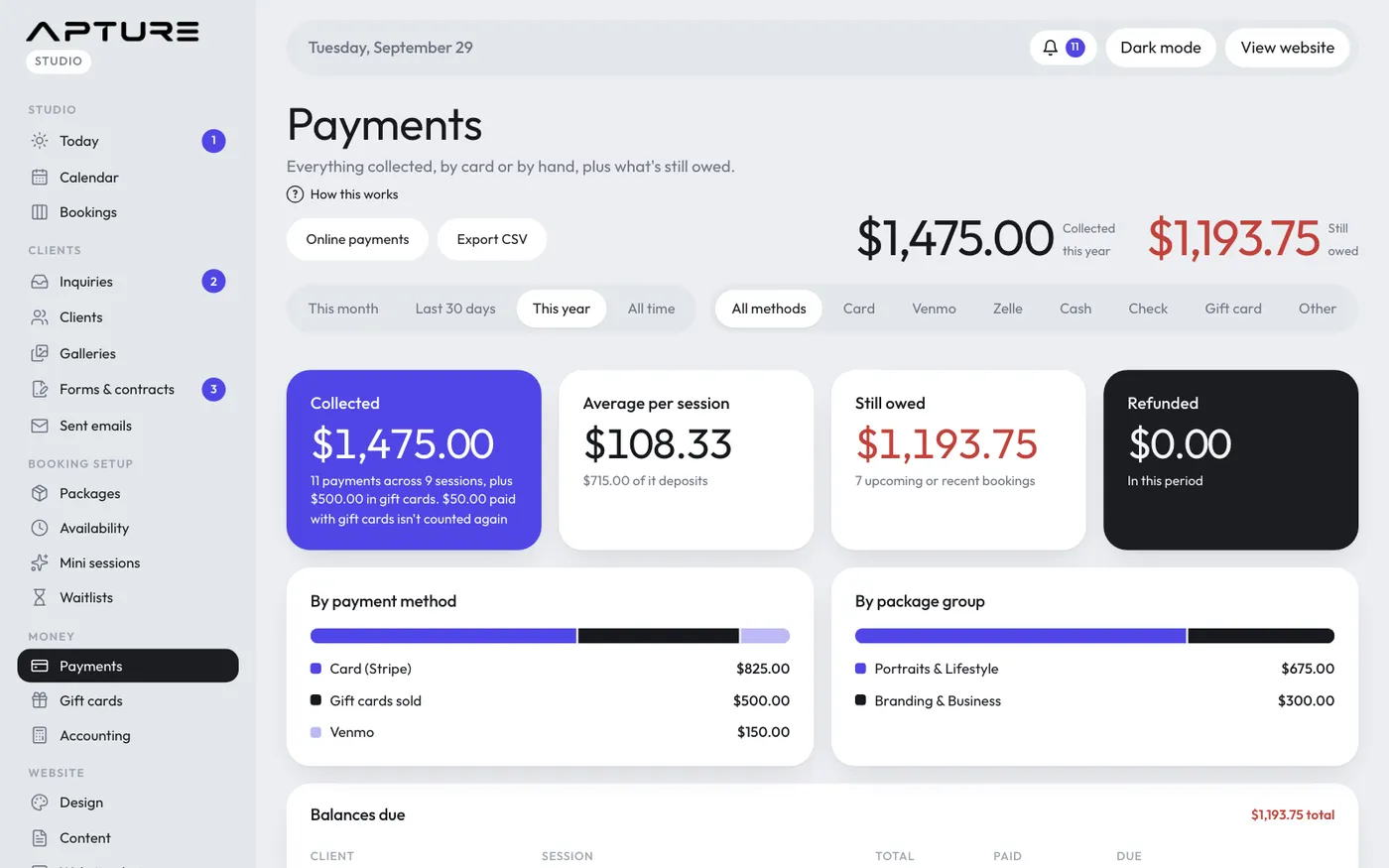
The Payments page: what you have collected and what is still owed

Instead of Studio Ninja

0% Apture fee on client payments

Deposits, balances, payment plans and gift cards are paid into your own Stripe account. Stripe's card fees apply; we add nothing.

More about this

Payment plans with autopay, bank transfers (ACH) for balances, and tips on the final payment are all there when you want them.

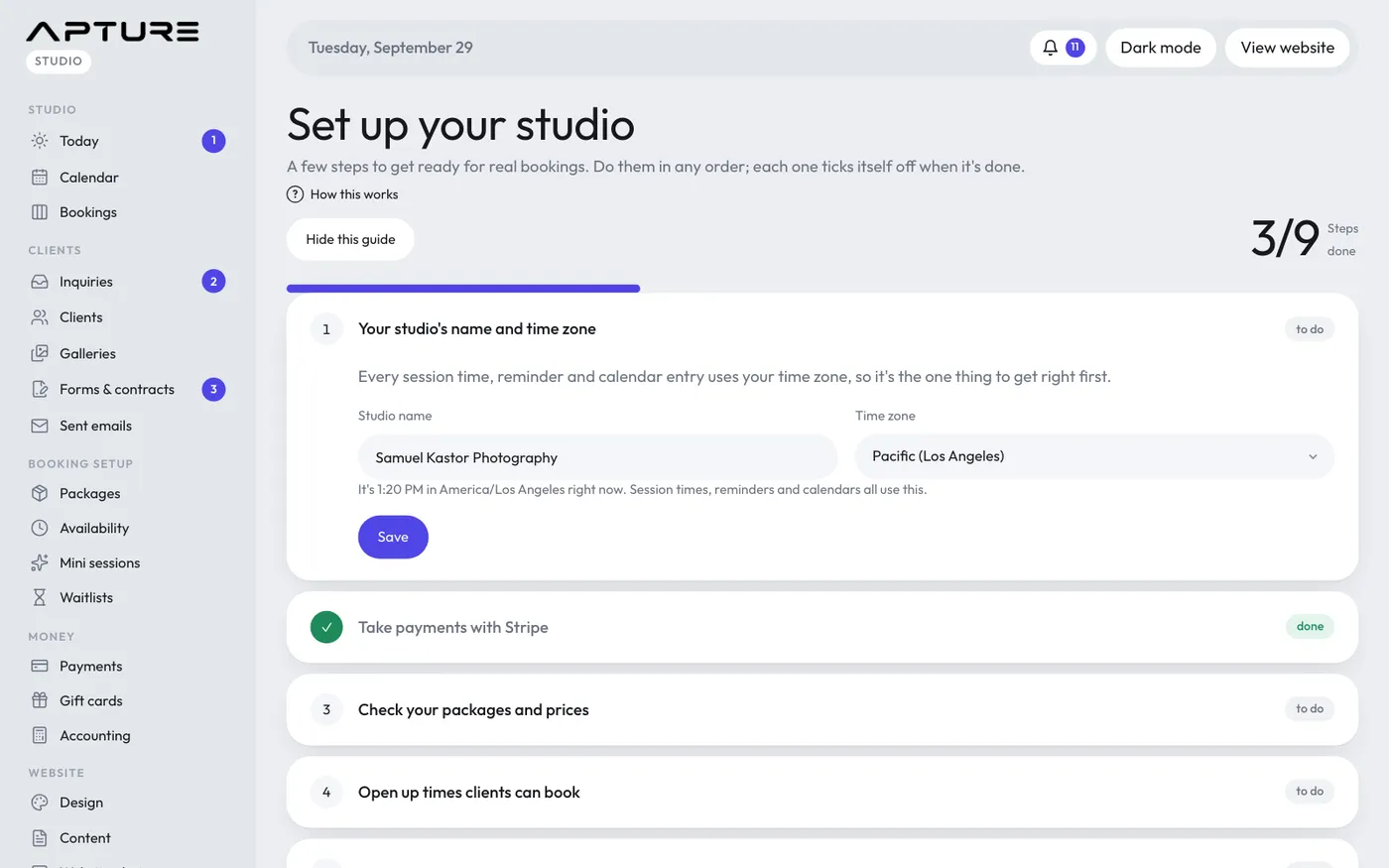
The setup guide at the top of the Today page

Instead of Studio Ninja

Easy to set up

A setup guide walks you through packages, hours, contracts and Stripe, with sample clients to click around first.

“Honestly, you killed this. Setup was so easy. Once I saw how everything connects, it all just clicked.”

Jacob Fleming, JFleming Photos
More about this

Ready-made workflows for weddings, portraits, branding and minis mean you change a few emails instead of building from scratch.

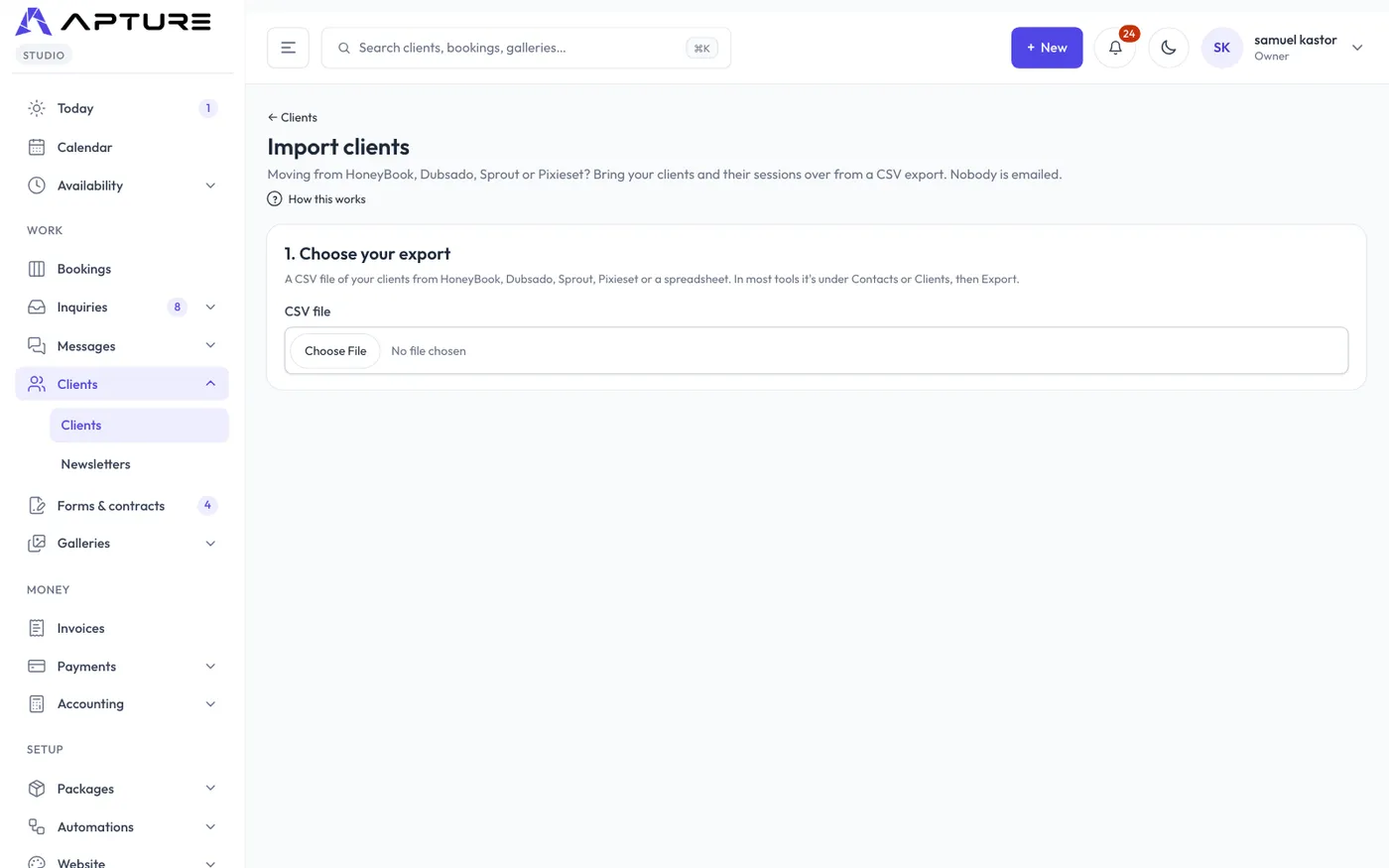
Importing clients from a spreadsheet, with a preview of every row

Instead of Studio Ninja

Free help moving over

Send us your client list and we'll bring your clients and upcoming sessions across, with what each has already paid.

More about this

You check a preview of every row before it goes live, nobody is emailed, and one click undoes an import.

Side by side

Apture and Studio Ninja, feature by feature.

Features of Apture and the tools you picked. Yes, Partly, Extra cost (a higher plan or an add-on) or No.
FeatureAptureStudio Ninja
Inquiries, contracts and invoicesYesEvery plan, with no limits on clients or contractsYes
Online booking with a depositYesClients can sign the contract before they pay, in the same bookingExtra costNo online booking forms on Starter
Proposals with packages to choose fromYesUp to three packages side by sideYesQuotes
Automations and remindersYesReady-made workflows per type of shootExtra costNo workflow automation on Starter
Client portalYesSessions, contracts, forms, payments and galleries in one placeYes
Client galleriesYesFavorites, proofing and downloadsNoConnects to Pic-Time and ShootProof
Video in galleriesYesOn every planNoNo galleries
RAW files in galleriesYesOn every planNoNo galleries
Website builderYes15 designs, your own domain, a blogNo
Every feature on every planYesPlans differ only in storage, video hours and team sizeNoStarter: 1 user, 5 active jobs
No platform fee on client paymentsYes0% from Apture; Stripe's own card fees applyNot checked
Automatic lab printingComing soonAutomatic ordering through a pro lab is on the roadmap; for now orders come to you to send to your labNoNo galleries
QuickBooks or Xero syncComing soonQuickBooks and Xero sync is on the roadmapYesXero and QuickBooks
Free-forever planNoA 14-day free trial, no card neededNo7-day trial

Checked on each company's own pricing page on 22 October 2026. “Extra cost” means a higher plan or an add-on; “Not checked” means their page didn't say. In fairness, some of them are ahead in places: galleries like Pixieset, ShootProof and Pic-Time send print orders to a lab automatically, several have a free plan, Studio Ninja syncs with QuickBooks and Xero, and Pixieset has a mobile gallery app. Apture works in your phone's browser.

Sources

Checked 22 October 2026. Prices and plans change; tell us if something here is out of date.

It often costs less than the tools it replaces.

Apture is $5.67 a month more here, and it does the jobs you'd otherwise need more tools for.

Your tools$13.33
Studio Ninja $13.33Studio Ninja Starter
$13.33 per month, billed yearly
$160 a year; Starter is limited to 5 active jobs
Apture$19
EverythingApture Starter
$19 per month, billed yearly
Every feature on every plan
Monthly prices behind the chart
Tool and planA month
Studio Ninja Starter$160 a year; Starter is limited to 5 active jobs$13.33
Starter$19

Each company's own published price on 22 October 2026, billed yearly, for the plan named. Plans and features differ and prices change, so check before you decide. Card processing fees are extra with all of them, including Apture.

Moving from Studio Ninja, step by step

  1. Bring your clients and upcoming sessions

    Download your client list as a spreadsheet (CSV) and drop it into Clients, Import in Apture. You match the columns once, check a preview of every row, and import. Upcoming sessions come too, with what each client has already paid, and nobody is emailed. Changed your mind? One click undoes the import. Or send us the file and we'll do it for you.

  2. Paste in your contract and questionnaires

    Copy your contract wording into a contract template, and your questionnaire questions into a form. Fill-ins like the client's name, the session date and the balance are added for you, and clients sign with a finger on their phone.

  3. Rebuild your automations from a starting point

    Pick a ready-made workflow for weddings, portraits, branding or minis, then change the emails, forms and reminders to match yours: so many days before the session, after it, or when the gallery is delivered.

  4. Set up your packages and hours

    Add your sessions with their price, length and deposit, then the hours you're open each week. Apture keeps those times open on your booking page, and a client who books pays the deposit there and then.

  5. Deliver new galleries in Apture

    Make a gallery, type a scene (Getting ready, Ceremony), and drop in that folder's photos. Copies for the web and for phones are made for you, and downloads keep your camera and copyright details. Send it to the couple and up to ten family members in one go.

What you keep: Your books come with you too: Apture records every payment as income, tracks your expenses and shows profit by month, with a year-end export for your accountant.

Questions about leaving Studio Ninja

Do I still need a separate gallery service?

No. Delivery, proofing, favorites, and print and download sales are built in. You send print orders to your own lab.

Can my clients see everything in one place?

Yes. The client portal shows their sessions, contracts, forms, payments and galleries.

Free move-over help

Send us your client list and galleries. We'll bring them across, free.

Export what you have in Studio Ninja and send it over. We import your clients and upcoming sessions, with what each has already paid, and you check everything before it goes live. Nobody is emailed.

Or write to us first: support@aptureapp.com

Comes with you

  • Clients, with their email, phone and notes
  • Upcoming sessions, with what's already been paid
  • Your contract and questionnaire wording
  • Your website's words and photos

Stays where it is

  • Email history (it stays in your inbox)
  • Galleries you've already delivered (they keep working where they are)
  • Payments already made (their records stay with the old tool)
  • Contracts already signed (download any you want to keep)